Best Tool to Organise Your Whole Job Search in One Place
The best tool to organise your job search connects applications, CVs, recruiter messages, interviews, follow-ups and outcomes in one workspace.
 Lucien Krogel·July 21, 2026·11 min read
 Author:Lucien Krogel·Founder & CEO
Most people assume CRM is something that only sales teams use. A piece of enterprise software full of dashboards, deal stages, and quarterly forecasts. Something that lives in a corporate IT stack and has nothing to do with your job search.
That assumption is costing job seekers real opportunities.
According to Salesforce, CRM technology helps organisations manage all their relationships and interactions with contacts in one place. And according to Digital Applied's 2026 CRM adoption data, around 91% of companies with 10 or more employees already use one.
The recruiters and hiring managers you are talking to right now are almost certainly tracking you in a CRM. The question is whether you are tracking them back.
This guide explains what a CRM system is, what it actually does, and how to apply the same thinking to run a more organised, lower-stress job search.
CRM stands for Customer Relationship Management. It refers to both a business strategy and the software that supports it. The strategy is simple: manage your relationships in a structured, repeatable way so nothing important gets forgotten. The software is what makes that practical at scale.
A CRM system stores everything about a contact in one place: their name, organisation, how you met, every conversation you have had, what was agreed, and what needs to happen next. It also tracks where each relationship sits in a process, whether that is a sales pipeline, a hiring process, or a networking sequence.
Most people try to manage complex, multi-party processes with tools that were not designed for it. Here is how the three approaches compare:
As HubSpot explains, a CRM replaces scattered notes, inboxes, and spreadsheets with a single source of truth. And as CRM.org notes, the principles apply well beyond traditional sales teams, wherever you need to manage relationships and next steps with consistency.
The core insight is that a CRM does not just store information. It imposes a process on top of it.
The definition makes sense in theory. But what does a CRM system actually do when you open it?
Most CRM platforms, whether enterprise tools like Salesforce or lightweight options like HubSpot or Pipedrive, share the same core set of functions:
The real value is not any single feature. It is the discipline the system creates.
According to Digital Applied, 87% of CRM users now run cloud-based systems and 70% access them on mobile. This is no longer niche infrastructure. It is a standard way of working for professionals managing relationships at volume.
CRM adoption is not a trend. It is already the norm in professional environments, and the numbers make that clear.
CRM adoption by sector (2026):
Source: Digital Applied CRM Statistics 2026
Here is what this means for job seekers specifically: the companies you are applying to, and the recruiters handling their hiring pipelines, are almost all running structured CRM-style systems to track candidates. They know when you applied, when you last responded, and how long you have been in their pipeline.
You are in their system. Most job seekers have no equivalent system of their own.
That asymmetry matters. A job search that runs for five months (the average duration, according to industry data) involves dozens of active conversations, multiple follow-up threads, and contacts at various stages. Managing that with a combination of memory, browser tabs, and a half-finished spreadsheet is not a strategy. It is organised chaos at best.
CRM thinking is how you close that gap and operate with the same level of structure the other side of the table takes for granted.
The CRM model translates directly to a job search. Every concept maps cleanly.
As Career Upside puts it: "Using a CRM for job searching allows you to track every application, touchpoint, and follow-up in a structured pipeline." That is not a metaphor. It is a direct application of the same method.
You have 14 active applications. Three recruiters have gone quiet. One hiring manager asked you to follow up in two weeks. Another role closes on Friday.
Without a system, you are relying on memory and inbox archaeology. With a CRM-style setup, you open one view, see exactly where each conversation stands, and know what needs to happen today.
The benefit is not just organisation. It is reduced anxiety. When everything is tracked, you stop carrying the mental load of trying to remember what you said to whom and when.
That shift, from scattered to structured, is what CRM thinking delivers for a job search.
You do not need enterprise software to apply CRM thinking to a job search. You need a clear process and a place to record it. Here is how to build one.
The best system is the one you actually update. Start simple. Add complexity only when the volume demands it.
Not all CRM tools are built for the same user. Here is a quick breakdown of the main categories and who each one suits.
Salesforce is the market leader in enterprise CRM, but it is overbuilt for an individual job seeker. The setup complexity and cost make it a poor fit. HubSpot and Pipedrive are far more approachable and both offer free tiers that work well as lightweight pipeline trackers.
For relationship-heavy searches, personal CRM tools like Clay and Dex are worth exploring. They are built around managing individual contacts rather than business deals.
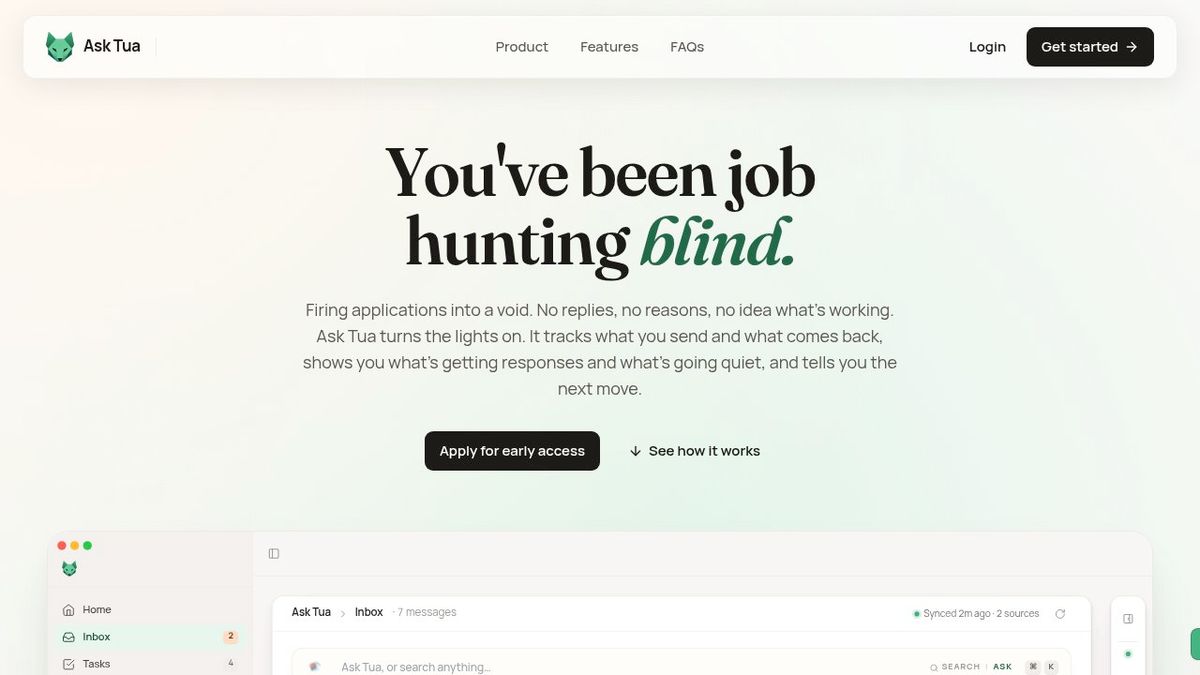
If you want a system designed specifically for job searching, Ask Tua combines pipeline tracking, inbox management, job matching, and coaching in one dashboard. It is built around the exact problem this article is describing.
For most people starting out, the right answer is: pick the simplest tool you will actually use consistently, and build the habit before adding features.
A CRM system is not just a category of software. It is a way of working. The core idea, track your relationships, log your conversations, set your next actions, and move things forward deliberately, applies to any situation where multiple important conversations are happening at once.
A job search is exactly that situation.
The recruiters and hiring managers on the other side of your applications are already operating this way. Adopting the same model is not overkill. It is how you stop dropping opportunities and start running a search that compounds over time.
Your next steps:
Join the Ask Tua waitlist and be first in line.
A CRM system is a way to keep track of important relationships, conversations, and next steps in one place. It combines contact management, notes, task reminders, and status tracking so nothing gets lost across email threads or spreadsheets.
Not always, but if you are juggling multiple recruiters, roles, and follow-ups, CRM thinking helps a lot. It gives you one place to track where each application stands, what was said, and what you need to do next.
A spreadsheet stores information, but a CRM adds structure, reminders, and pipeline stages. That means you can see history, track progress, and follow up on time without manually checking every row.
Lightweight tools usually make more sense than enterprise software. HubSpot, Pipedrive, Clay, and Dex are easier to start with, while a job-search-specific dashboard is better if you want everything in one system.
It helps you treat applications like a pipeline instead of a pile of tabs. You can track recruiters, deadlines, follow-ups, and notes in one view, which reduces missed opportunities and makes your search easier to manage.
About the Author

Lucien Krogel
Founder & CEO
Lucien founded Ask Tua after six years coaching people through complex job searches. He kept seeing strong candidates lose momentum because their roles, CVs, recruiter messages, interviews, follow-ups and outcomes were scattered across different tools. He built Ask Tua as an AI job search assistant with a connected workspace, so candidates can understand what is happening in their search and decide what to do next.
Full Bio → Blog
BlogThe best tool to organise your job search connects applications, CVs, recruiter messages, interviews, follow-ups and outcomes in one workspace.
Lucien Krogel·July 21, 2026·11 min read Blog
BlogCompare AI job matching and auto-apply tools to see which approach helps you find better-fit roles, avoid generic applications and get more interviews.
Lucien Krogel·July 10, 2026·12 min read Guide
GuideFeel stuck in your job search? Learn why next-step uncertainty happens, how to spot the real signal, and how Ask Tua helps you decide what to do next.
Lucien Krogel·July 23, 2026·12 min read